How can I assign different PHP versions to my domains?

 
If you manage multiple projects on a single account and need each domain or subdomain to run on a specific version, the MultiPHP Manager is your best ally. Follow these steps to configure it securely:


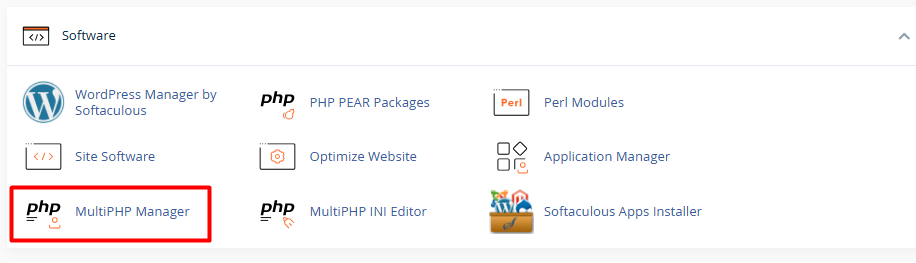
1. Log in to your cPanel and, under the Software section, select MultiPHP Manager.


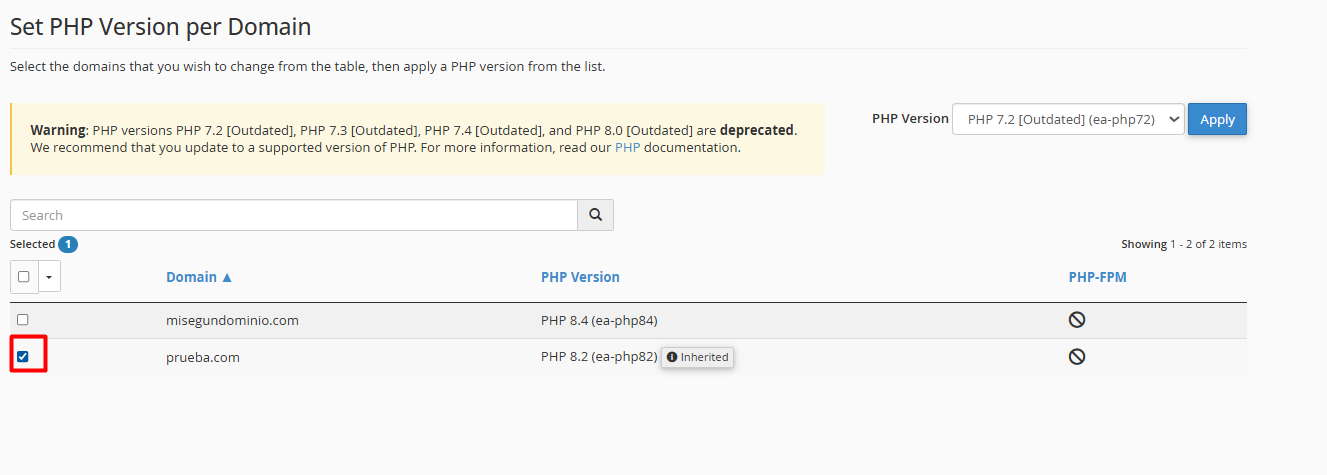
2. Identify the list of your domains and check the box for the domain or subdomain you wish to update.


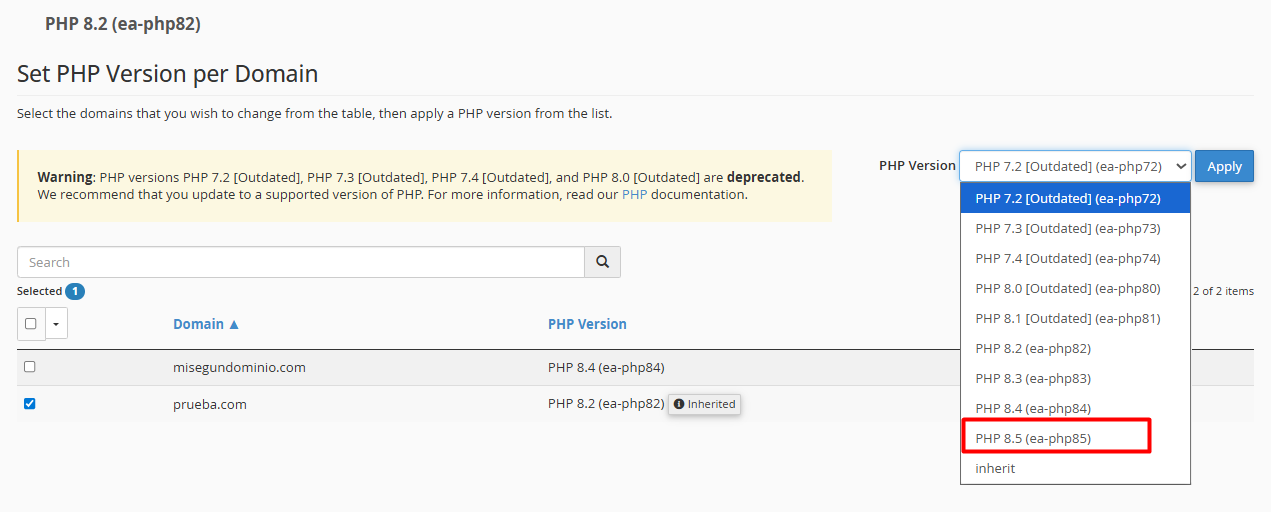
3. From the dropdown menu in the upper right corner (PHP Version), choose the technical version your project requires.
 

phpe2.png


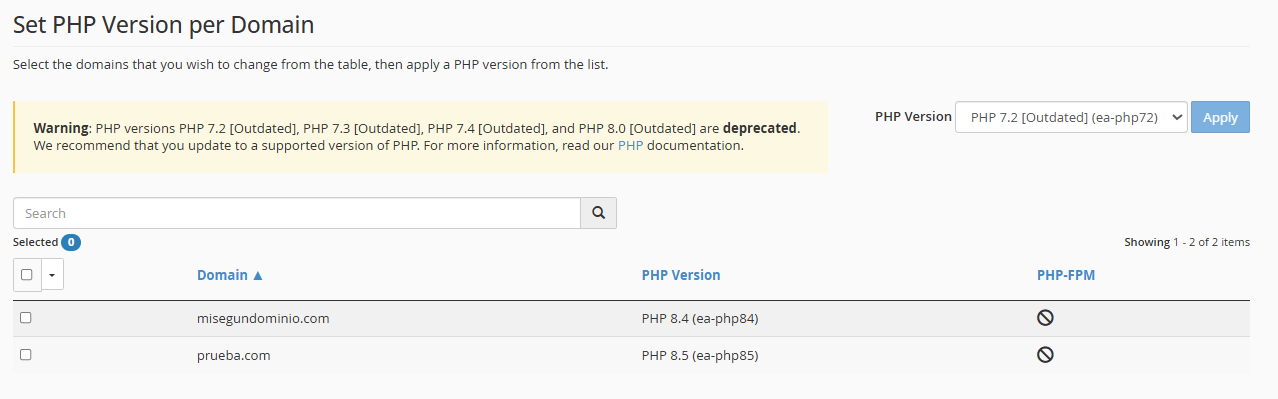
4. Click the Apply button. The system will immediately notify you that the update has been successfully completed.


Notes: To ensure your website continues to operate without interruption, keep the following in mind:


• Back up your data: Before making any structural changes, make sure you have a recent backup.

• Check compatibility: If you use a CMS like WordPress, confirm that your themes and plugins are compatible with newer versions (such as PHP 8.x) to avoid visual or execution errors.

• Reversible adjustment: Don’t worry! The process is instantaneous. If you notice any unusual behavior, you can revert to the previous version by repeating these same steps.

  • 0 Users Found This Useful
Was this answer helpful?

Related Articles

How to create a Cron Job?

  A cron job is simply an automated task that runs on a server at specific time intervals. You...

How to create and configure your .htaccess file?

  The .htaccess file is a powerful tool for managing your site's security and redirection....

How can I change PHP values (limits, execution time, errors) using "MultiPHP INI Editor" (Basic Mode)?

  Here we will explain how to transcribe and adjust these values using the "MultiPHP INI Editor"...

How can I force the use of SSL (HTTPS) via the .htaccess file?

  To ensure your visitors always browse securely, you can automate the HTTPS redirection by...

How can I password protect my folders in cPanel?

  Ensuring the security of your information is simple. Follow this step-by-step guide to...